
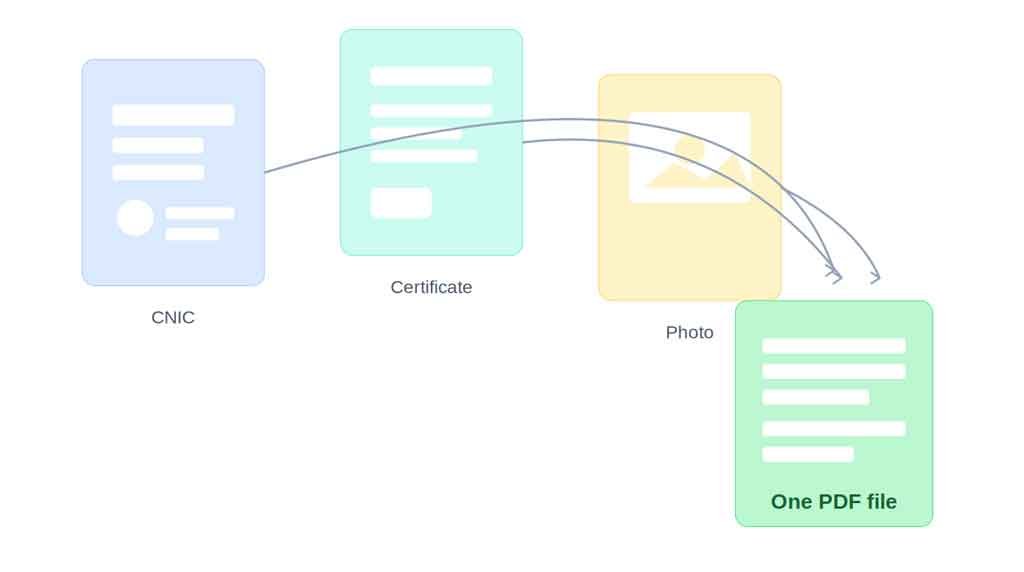
If you’ve ever tried applying for a government job online, you already know the drill — upload your CNIC, upload your degree, upload your domicile certificate, upload a passport-size photo, and somewhere in between, the portal throws an error because one of your files is “too large” or in the wrong format. It’s a small hurdle, but it trips up a surprising number of applicants every single day.
How to Combine Your Documents Into One PDF Before Applying For Sindh Government Jobs
Most job portals in Sindh, including the SJP system, ask candidates to submit several supporting documents together. Some portals accept only a single PDF upload instead of five separate images. If you’re not sure how to merge everything into one file, here’s a simple breakdown of why it matters and how to get it done without any technical headache.
Why a Single PDF Works Better Than Multiple Uploads
When you upload documents one by one, there’s more room for mistakes — a missing certificate, a blurry scan, or a file that simply doesn’t upload due to size limits. A single combined PDF solves most of these problems at once:
- It keeps your CNIC, certificates, and photo in the correct order, so nothing gets overlooked during verification.
- It reduces the chances of a rejected application due to a missing attachment.
- It’s easier for the recruitment team to review your file when everything is in one place.
- It usually loads faster and takes up less space than several separate image files.
For anyone applying to multiple Sindh government positions, this small step can genuinely save time and reduce the stress of last-minute uploads.
How to Combine Documents Into a PDF
You don’t need any design software or technical skill for this. A free online tool like PDF Combiner lets you upload your scanned images or existing PDFs, arrange them in the order you want, and download a single merged file within seconds — no signup, no watermark, and no installation required.
Just make sure your CNIC and certificates are scanned clearly before combining them, since poor-quality scans are one of the most common reasons applications get flagged during verification.
A Quick Checklist Before You Apply
- Scan your CNIC (front and back) clearly
- Keep your latest passport-size photo ready in the correct format
- Combine all required documents into one PDF in the right order
- Double-check file size against the portal’s upload limit
- Review the final PDF before submitting your application
Taking these five minutes upfront can save you from having your application delayed — or worse, rejected — over a formatting issue that had nothing to do with your actual qualifications.
Applying for a government job is stressful enough without technical glitches getting in the way. Getting your documents organized properly before you even open the portal puts you a step ahead of everyone else scrambling at the last minute.
Merge Documents Using an Online PDF Tool
Scan your CNIC, domicile, educational certificates, and other required documents. Use a PDF merge tool to combine all files into one PDF and arrange them in the correct order.
Reduce PDF File Size Before Uploading
If the PDF is too large, use a PDF compressor to reduce its size. Make sure the documents remain clear and readable while meeting the job portal’s file-size limit.
Common PDF Upload Mistakes to Avoid
Avoid uploading blurry scans, unnecessary pages, incorrectly arranged documents, or oversized PDF files. Always open and check the final PDF before uploading it.